PDF tools

TheFoxiy is a free all-in-one platform for PDF, AI, and Word tools. Compress, merge, split, and convert PDFs, detect and humanize AI text, improve writing, and use productivity tools online with no signup required.

Webshot: Free Full-Page Website Screenshot Tool & APIWebshot is a powerful, free, and user-friendly online SaaS that enables instant capture of full-page website screenshots. It provides a seamless experience for converting any publicly accessible webpage into high-quality JPG, PNG, WebP, or PDF formats, supporting various device views from desktop to true mobile rendering.This tool is ideal for developers, designers, marketers, content creators, and anyone needing quick, clean, and watermark-free website captures for documentation, presentations, or automated workflows.Key Features:No Login, No Watermarks: Capture screenshots without needing an account, email, or dealing with intrusive branding.Multiple Formats: Save captures as JPG, PNG, WebP, or PDF for diverse use cases.Device Versatility: Capture desktop, tablet, or true mobile views, full-page or above-the-fold.Free Screenshot API: Automate captures with a robust API, perfect for integration into existing workflows.Fast & Reliable: Most screenshots are ready in 3-10 seconds, powered by headless Chrome.Privacy-Focused: Screenshots are deleted within an hour and never stored or shared.Use Cases:Webshot excels in scenarios requiring visual documentation of web content. Marketers can use it to capture competitor landing pages or create social media thumbnails. Designers can test responsive layouts across different devices and resolutions. Developers can integrate the free API for automated testing, monitoring website changes, or generating dynamic content previews. It's also perfect for archiving important web pages, creating print-ready PDF reports from URLs, or simply getting a quick visual reference of any site.Whether you're building a portfolio, preparing a presentation, or needing to track visual changes on a website, Webshot provides a straightforward and efficient solution without the overhead of browser extensions or manual stitching.Pricing Information:Webshot operates on a freemium model. The public web tool and free API offer 5 captures every 15 minutes per IP address, completely free with no signup or watermarks. For users requiring higher rate limits, custom resolutions, dedicated capacity, or commercial API plans, premium options are available starting at $1.99/month. The free tier is designed to always remain accessible for basic needs.User Experience and Support:The user interface is incredibly simple: paste a URL, select your desired device and format, and click capture. The process is intuitive and requires no technical expertise. All heavy lifting, including headless Chrome rendering and page stitching, occurs on Webshot's servers. While direct support is primarily for premium users, the tool's simplicity and comprehensive FAQ section address most common queries.Technical Details:Webshot leverages headless Chrome to render webpages, ensuring accurate representation of JavaScript-heavy sites, lazy-loaded images, and dynamic content. The free API supports various programming languages, with code samples provided for cURL, Python, Node.js, PHP, and Go, making integration straightforward for developers.Conclusion:Webshot stands out as an exceptional, free online tool for capturing high-quality website screenshots with unparalleled ease and privacy. Its robust features, including true mobile rendering and a free API, make it an invaluable asset for a wide range of users. Explore Webshot today to streamline your web content capture needs.
MediaGrab Pro: The Ultimate All-in-One Media & Document Processing Suite MediaGrab Pro is a powerful, free-forever SaaS platform designed to simplify media downloading and processing from over 15 popular platforms like YouTube, Instagram, Pinterest, Facebook, and TikTok. It serves as an indispensable toolkit for content creators, digital marketers, students, and professionals who need to extract, enhance, and manage various media types and documents efficiently. Key Features Extensive Media Downloader: Download videos, images, and audio in high quality from 15+ social media platforms, including 4K video support. Advanced AI Tools: Leverage AI for tasks like background removal, image upscaling to 4K, face swapping, content detection, watermark removal, vocal splitting, and text-to-speech generation. Comprehensive PDF Management: A full suite of PDF tools for merging, splitting, compressing, editing text and images, OCR, and even AI-powered chat, summarization, and translation. Video & Audio Processing: Extract frames, convert videos to GIFs, compress files, extract subtitles, cut audio, and remove noise with ease. Image Enhancement & Conversion: Resize, crop, compress, and convert images between various formats, including HEIC to JPG and WEBP. No Registration & Free Forever: Start using essential tools immediately without an account, with a robust free tier available indefinitely. Use Cases MediaGrab Pro is ideal for content creators looking to quickly download source material for their projects, whether it's a YouTube video for analysis, Instagram Reels for inspiration, or Pinterest images for mood boards. Digital marketers can utilize the platform to extract high-quality visuals and audio for campaigns, generate engaging thumbnails, or even create temporary email addresses for testing without spamming their primary inbox. Beyond media, the platform's extensive AI and PDF tools cater to professionals and students. Users can summarize lengthy PDF documents with AI, translate them into different languages, or use AI OCR to extract text from scanned documents. The resume builder and contract review tools further extend its utility for career development and business operations, making it a versatile solution for document management and enhancement. Pricing Information MediaGrab Pro operates on a freemium model. The "Free" tier offers 10 downloads/day, 720p max quality, and a 50MB upload limit with ads. The "Pro" plan, at $4.99/month, provides unlimited downloads, 4K quality, no ads, priority queue, 2GB uploads, and download history. For advanced users and teams, the "Premium" plan at $14.99/month includes everything in Pro, plus API access, bulk downloads, 5 team seats, and priority support. User Experience and Support The platform boasts a "Simple as 1-2-3" workflow, emphasizing ease of use with no software installation required. Its intuitive interface allows users to paste a URL, select options, and download files directly to their device. While extensive documentation and tutorials are implied through the "Blog Insights" section, direct support is available via email at support@grabmediapro.com, ensuring users can get assistance when needed. Technical Details MediaGrab Pro is a web-based SaaS, accessible directly through any modern browser on both desktop and mobile devices. It leverages advanced algorithms, including AI and machine learning models, for its sophisticated media processing, image enhancement, and document analysis tools, providing powerful capabilities without requiring local software installations. Pros and Cons Pros: Extremely broad range of tools (media, AI, PDF); Supports 15+ major platforms; Free-forever tier available; No registration required for basic use; AI-powered features for efficiency; Comprehensive PDF management suite; Mobile-friendly. Cons: Free tier has significant limitations (download count, quality, ads); No explicit mention of offline functionality; No direct in-app chat support, only email; API access is limited to the highest-tier plan. Conclusion MediaGrab Pro stands out as a highly versatile and accessible media and document processing suite, offering an impressive array of tools from basic downloads to advanced AI enhancements. Its freemium model makes it accessible to everyone, while paid tiers unlock powerful features for professionals. Explore MediaGrab Pro today to streamline your media workflows and document management.
UnifiedTools Pro is a comprehensive, browser-based SaaS platform offering a vast collection of over 132 free and premium tools for SEO, AI writing, PDF editing, image optimization, and developer workflows. It aims to streamline daily tasks for professionals by providing a single, no-installation-required workspace. Designed for SEO experts, developers, marketers, students, and content creators, it eliminates the need to switch between multiple websites for various utilities. Key Features 132+ browser-based tools across 9 categories (SEO, AI, PDF, Images, Security, Dev, etc.). No installation required, accessible directly from any browser. AI-assisted tools for writing, grammar checks, plagiarism detection, and image SEO. Comprehensive SEO suite including meta tag generation, SERP preview, schema markup, and page audits. Robust image tools for conversion, cropping, background removal, and GPS geotagging. PDF utilities for text extraction, merging, and compression. Privacy-first approach with no file storage and secure processing. Use Cases UnifiedTools Pro is invaluable for optimizing websites. SEO professionals can generate meta tags, preview SERP snippets, build schema markup, and conduct SEO audits to improve search rankings. Local SEO efforts are boosted with image geotagging and KML circle generation. The platform also offers keyword density analysis and AI content detection to ensure content quality and originality. For content creators and marketers, this SaaS simplifies content creation and promotion. AI writing tools assist with grammar checks, paraphrasing, and plagiarism detection, while image tools help prepare visuals for web and publishing. Marketers can generate QR codes, analyze content originality, and calculate campaign numbers, all within one platform. Developers and IT professionals benefit from the Dev Suite, which provides essential utilities like JSON formatting, Base64 encoding, URL encoding, hash generation, and secure password creation. Security tools allow for SSL certificate review, password strength testing, and IP data lookup, making it a versatile toolkit for daily technical tasks. Pricing Information UnifiedTools offers a freemium model, providing core tools for free with a limit of 3 uses per day and watermarked exports. The "Professional" plan is available at $7/month (billed annually at $68/year, saving $16) for unlimited uses, no watermarks, 3x faster processing, and bulk capabilities. A "Lifetime Access" option is also available for a one-time payment of $99 (60% off the original $249), including 1,500 AI Credits and all Pro features. User Experience and Support The platform boasts a user-friendly, browser-based interface designed for fast daily work, eliminating the need for software installation. Tools load instantly, providing a seamless experience without ads or sign-ups for basic functions. While extensive documentation or tutorials aren't explicitly detailed, the "Frequently Asked Questions" section addresses common queries, and users can contact support for further assistance. Technical Details The platform is described as "browser-based" and "no installation required," implying a web application architecture. It emphasizes "secure processing" and "SSL Protected," indicating standard web security practices. The integration of "AI tools" suggests the use of machine learning models for features like AI writing, background removal, and content detection, all running client-side or via secure API calls. Pros and Cons Pros: Comprehensive suite of 132+ tools in one place. Browser-based, no installation required, highly accessible. Freemium model with generous free access. AI-assisted features for enhanced productivity. Privacy-first with no file storage. Designed for speed and efficiency in daily workflows. Cons: Free plan has daily usage limits and watermarks. Specific technical details (e.g., programming languages) are not disclosed. No explicit mention of extensive documentation or video tutorials. AI credits are limited in the Lifetime Access plan (1,500). Conclusion UnifiedTools Pro stands out as an indispensable, all-in-one toolkit for professionals seeking efficiency and convenience in their daily digital tasks. Its vast array of SEO, AI, image, and developer tools, combined with a privacy-first, browser-based approach, makes it a powerful solution for streamlining workflows. Explore UnifiedTools Pro today to enhance your productivity and achieve faster results.
Introduction PDF to MD Converter is an AI-powered SaaS solution designed to transform complex PDF documents into clean, structured Markdown. It offers high accuracy in preserving document hierarchy, tables, and images, making content easier to edit, search, and reuse. This tool is ideal for researchers, students, developers, technical writers, and knowledge teams. Key Features AI-based layout detection and vision language models for high accuracy (95%+). Supports long PDFs (hundreds of pages) with efficient background processing. Preserves tables, images, headings, and reading order for structured output. Currently supports both Chinese and English languages. Generates Markdown optimized for AI-assisted writing and analysis workflows. Offers 100 free credits for logged-in users to get started. Use Cases Researchers and students can leverage the PDF to MD Converter to transform academic papers, lecture notes, and extensive reading packets into easily searchable and summarizable Markdown. This significantly streamlines study and analysis workflows, making content more accessible for review and integration into personal knowledge bases. Documentation teams will find this tool invaluable for migrating PDF manuals, release notes, and legacy guides into modern documentation systems, websites, and knowledge bases. It ensures that critical information retains its structure and can be efficiently updated, searched, and published. For businesses, the converter facilitates the transformation of reports, policy documents, and internal knowledge archives into structured Markdown. This improves content review processes, enhances internal search capabilities, and provides cleaner input for AI analysis, ultimately boosting overall content management and collaboration. Pricing Information The PDF to MD Converter operates on a credit-based system, where each PDF page costs 1 credit. Logged-in users receive 100 free credits upon first login, sufficient for 100 pages. Monthly subscription plans are available: Basic Monthly (300 pages for $9), Pro Monthly (1,000 pages for $19), and Team Monthly (3,000 pages for $49). Users also have the option to purchase extra credit packs as needed. User Experience and Support The platform offers a straightforward conversion workflow: users upload a PDF, the AI parses it in the background, and the result is available for preview and download on a dedicated task page. The user interface is designed for ease of use, handling complex OCR-style parsing and model work behind the scenes. While specific documentation or direct support channels are not explicitly detailed, the intuitive process aims to make the tool accessible for ordinary users. Technical Details The converter leverages advanced AI layout detection and vision language models to ensure high-quality Markdown output. It processes files asynchronously, allowing users to leave the homepage while long PDFs are handled in the background. Source PDFs are securely uploaded to private Cloudflare R2 storage, and the output includes generated Markdown along with an asset archive for extracted images. Pros and Cons Pros: High accuracy (95%+) in preserving document structure, including headings, tables, and images. AI-powered conversion provides superior output quality compared to basic text extractors. Supports long and complex PDFs with efficient background processing. Handles multiple languages (Chinese and English). Generates structured Markdown ideal for AI tools and knowledge bases. Offers free credits for new users to try the service. Cons: Credit-based system means costs for extensive or frequent use. Specific support channels or detailed documentation are not explicitly mentioned. May not be the cheapest or fastest option for very simple, plain text PDF extractions. Output quality is dependent on the clarity and structure of the source PDF document. Conclusion The PDF to MD Converter stands out for its AI-driven approach to delivering highly accurate and structured Markdown from PDFs. It's an invaluable tool for anyone needing to transform static PDF content into an editable, searchable, and AI-ready format, significantly enhancing productivity and content utility. Explore its capabilities with free credits today and experience the difference AI-based conversion makes.
AlgoOCR by Algoza Solutions is an advanced AI-powered document conversion SaaS designed to transform scanned PDFs and images into editable Word and Excel files. Its primary purpose is to accurately rebuild document structure, including tables, headings, and layout, for Hindi, Marathi, and English documents. This tool targets professionals, businesses, and individuals who frequently deal with scanned documents and require structured, editable output without extensive manual cleanup. Key Features AI-Powered Structural Rebuilding: Goes beyond basic OCR to intelligently recognize and reconstruct tables, headings, lists, and paragraphs, preserving the original layout. Multilingual OCR Support: Accurately processes Hindi (Devanagari), Marathi (Devanagari), and English documents, including multilingual content. Editable Output Formats: Converts scanned documents into fully editable Word (.docx) and structured Excel (.xlsx) files. Integrated Translation: Offers automatic translation of output between Hindi, Marathi, and English. Web-Based & Secure: No software installation required; accessible from any device with a browser. Documents are processed securely over HTTPS and automatically deleted after conversion. Significant Time Savings: Reduces manual cleanup time from 20-30 minutes per page to just minor corrections. Use Cases AlgoOCR is invaluable for organizations and individuals handling a high volume of scanned documents such as government forms, invoices, legal contracts, and reports. It eliminates the tedious and time-consuming process of manually retyping or restructuring data from scanned images. For instance, a business can quickly convert scanned invoices into an editable Excel spreadsheet for data analysis, or a legal professional can transform a scanned contract into a Word document for easy editing and review, even if it's in Hindi or Marathi. Furthermore, its ability to preserve complex layouts and tables makes it ideal for converting historical records, academic papers, or any document where structural integrity is paramount. The integrated translation feature also streamlines workflows for international businesses or those operating in multilingual regions, allowing for seamless conversion and translation of documents between Hindi, Marathi, and English. Pricing Information AlgoOCR operates on a freemium model, offering a free 1-page demo without requiring a credit card. For continued use, prepaid packs are available, starting at just ₹19 for 3 pages. These packs are one-time purchases, valid for one year, with no recurring subscription fees, providing a flexible and cost-effective solution for various conversion needs. User Experience and Support The platform boasts a straightforward, three-step process: upload, AI processing, and download, ensuring a minimal learning curve. Its web-based interface is accessible from any device, including computers, tablets, and phones. For assistance, users can reach out via email at info@algozasolutions.com or by phone at +91 82374 39144, with typical responses within 24 business hours. Technical Details AlgoOCR leverages advanced AI and machine learning technologies to perform intelligent document analysis, enabling it to understand and rebuild document structures rather than just extracting raw text. The entire process is handled on secure, cloud-based servers, ensuring high performance and data privacy. Pros and Cons Pros: Superior structural preservation compared to typical OCR tools. Excellent support for Hindi and Marathi Devanagari scripts. Converts to editable Word and Excel formats. Web-based, no installation, accessible anywhere. Significant reduction in manual cleanup time. Secure and private document handling. Cons: Accuracy may vary based on original document quality and language. Complex layouts might still require minor manual corrections. No free tier beyond the initial 1-page demo. Conclusion AlgoOCR stands out as a powerful and efficient solution for converting scanned documents into structured, editable files, particularly for Hindi, Marathi, and English content. By intelligently rebuilding document layouts, it offers substantial time savings and improved productivity for professionals. Explore the demo today to experience the difference AlgoOCR can make in your document workflows.
PDF Reader is a fast, lightweight, and 100% offline PDF tool designed for complete document privacy and control. It provides every essential PDF utility in one intuitive application, ensuring your files remain securely on your device without any cloud uploads, accounts, or tracking. This powerful productivity solution is ideal for individuals and professionals who require robust PDF editing, signing, scanning, and conversion capabilities while prioritizing data security and independence from internet connectivity. Key Features 100% Offline & Private: No cloud uploads, accounts, or tracking; all operations on-device. Comprehensive Editing: Directly edit PDF content, reorder, rotate, delete pages, merge multiple PDFs, and split documents. Secure Signatures: Draw handwritten signatures or add secure digital signatures to contracts and forms. Text-to-Speech (TTS): Listen to documents hands-free with multi-language voice support. OCR Text Recognition: Extract editable and searchable text from scanned PDFs and images. Versatile Conversion: Convert images to PDF, PDF to JPG/PNG, and insert images into PDFs. Use Cases Professionals can efficiently manage contracts, forms, and reports, signing documents digitally and converting formats without internet dependency. It's indispensable for fieldwork or environments with unreliable internet access, ensuring continuous productivity and data integrity. Students can annotate study materials, highlight key information, listen to lectures, and organize research papers securely, leveraging OCR to digitize notes or extract text from scanned articles. For anyone concerned about data privacy, PDF Reader is invaluable, as all operations occur on-device, ensuring sensitive information never leaves their control. It's the go-to solution for robust PDF functionality without compromising security, making it perfect for secure document management in any scenario. Pricing Information PDF Reader operates on a straightforward, privacy-focused model with no subscriptions or recurring fees. While specific pricing details are not provided, the emphasis on "no subscription" suggests a one-time purchase for full access to its comprehensive suite of features, offering a cost-effective solution for long-term use. User Experience and Support The application delivers a fast and smooth user experience, handling even large PDF files without lag or loading screens. It offers a presentation mode for focused reading, supports both horizontal and vertical scrolling, and provides 20 interface languages with over 100 PDF viewing languages. User support and feedback are actively managed via email at devsoftwaremail@gmail.com, with developers committed to continuous improvement based on user input. Technical Details Designed as a lightweight mobile application, PDF Reader is optimized for performance and memory usage, targeting SDK 36 for improved compatibility across modern Android devices. Its core design philosophy centers around 100% offline functionality, ensuring all processing, editing, and conversion tasks are executed directly on the user's device, enhancing both speed and security. Pros and Cons Pros: Unmatched privacy with 100% offline operation and no data sharing. Extensive suite of PDF editing, signing, scanning, and conversion tools. Integrated Text-to-Speech and OCR capabilities. Fast, smooth performance even with large files. No subscriptions or recurring costs. Multilingual interface and document viewing support. Cons: Primarily a mobile application, no explicit mention of desktop versions. Lacks cloud-based collaboration features inherent to its offline design. Specific one-time purchase price not detailed in the provided information. No free trial or freemium option explicitly mentioned. Conclusion PDF Reader stands out as a robust and highly secure solution for all your PDF management needs. By offering a comprehensive toolkit entirely offline, it delivers unparalleled privacy and control over your documents. For anyone seeking a powerful, fast, and secure PDF editor that respects your data, PDF Reader is an essential download. Take back full control of your documents today.
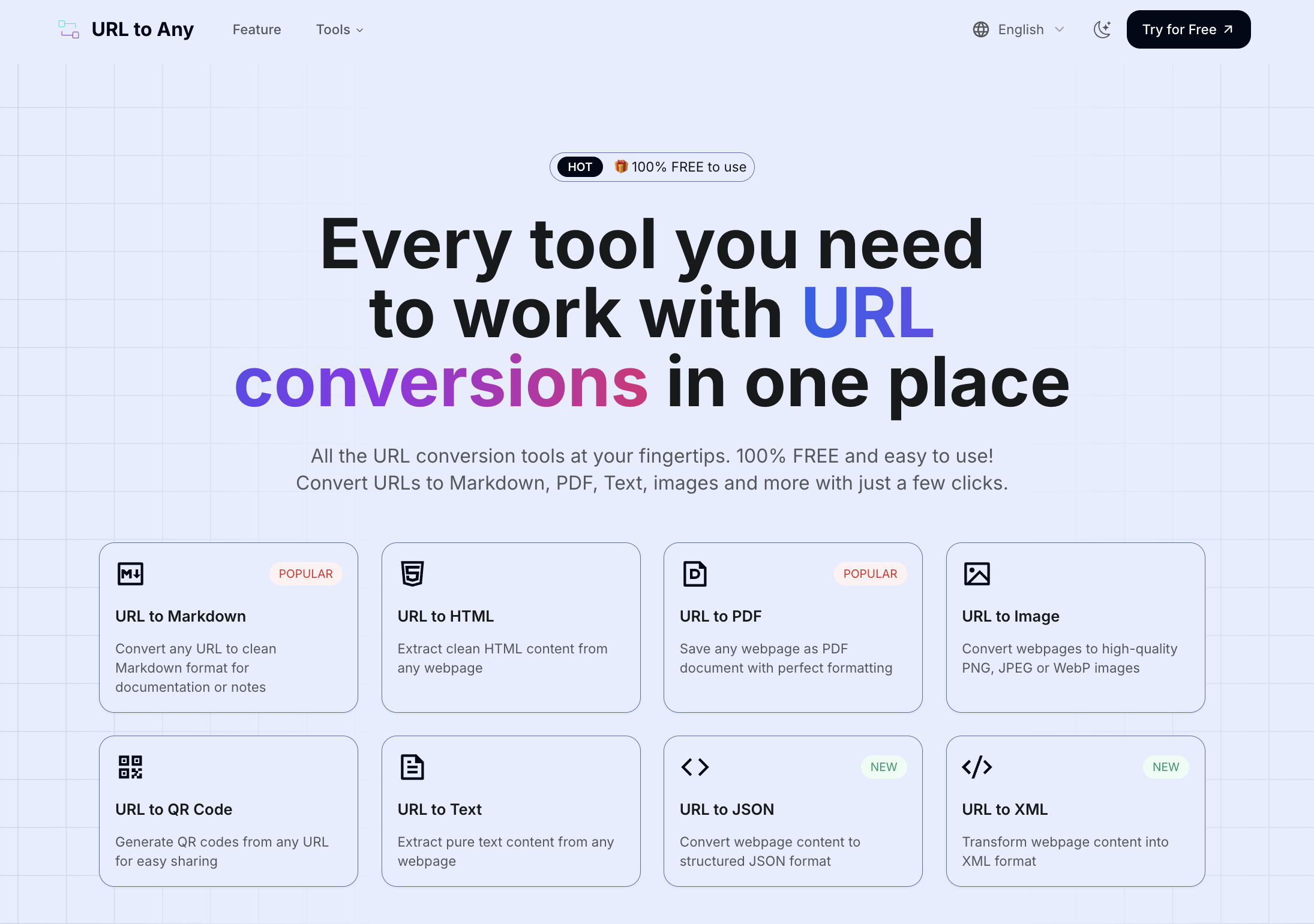
URL to Any: Your Free, All-in-One Web Content Conversion HubURL to Any is a powerful, 100% free online platform offering a comprehensive suite of tools for converting web content into various formats. It caters to anyone needing to save, share, or reference web pages efficiently, from content creators and researchers to developers and everyday users.Key FeaturesExtensive Conversion Options: Transform URLs into Markdown, PDF, HTML, Images (PNG, JPEG, WebP), Text, JSON, XML, and even MP3.Advanced URL Utilities: Includes URL Encoding/Decoding (8+ formats), a URL Extractor, URL Opener, and a QR Code Generator.AI-Powered Insights: Features an AI Summarizer for instant webpage content summaries.SEO and Data Analysis Tools: Extract and analyze URL Meta Tags and Headings, and resolve URLs to IP addresses.Browser Extension for Quick Access: Seamlessly integrate conversion tools into your browsing workflow.Use CasesContent creators and researchers can leverage URL to Any to effortlessly convert articles into Markdown for documentation or PDF for offline reading, ensuring perfect formatting. Developers will find immense value in extracting clean HTML, JSON, or XML for data processing, or utilizing the URL Extractor to efficiently gather links from a website. This streamlines data collection and content repurposing.Marketing professionals can quickly generate QR codes for campaigns, analyze meta tags for SEO optimization, or summarize lengthy web content with the AI Summarizer for quick insights. Everyday users benefit from rapid conversions to images for easy sharing on social media, or pure text for distraction-free reading, significantly improving their digital workflow and productivity.Pricing InformationURL to Any is proudly 100% FREE to use, with no hidden fees, subscriptions, or premium tiers. This commitment ensures that powerful web content conversion tools are accessible to everyone without any financial barriers.User Experience and SupportThe platform boasts a simple, intuitive design, making web content conversion effortless and accessible to all skill levels. It offers instant processing, delivering converted content in seconds, highlighting its optimized engine. While detailed support documentation isn't explicitly listed, the FAQ section addresses common queries, and users can contact the team via email or social media for further assistance, underscoring its user-friendly approach.Technical DetailsURL to Any operates entirely through secure cloud processing, eliminating the need for any software installation. This ensures that all conversions happen off-device, maintaining user privacy by never storing the content of converted webpages or personal information on their servers. The service is fully responsive, guaranteeing seamless functionality across any device with a web browser, including smartphones and tablets.Pros and ConsPros:Completely 100% Free to use.Extensive suite of URL conversion and utility tools.Intuitive and easy-to-use interface.Lightning-fast processing and clean output.Secure and private; data is never stored.Cons:Cannot convert content behind logins or paywalls.May have limitations for extremely large or complex webpages.Specific programming languages/frameworks not detailed.ConclusionURL to Any stands out as an invaluable, free resource for anyone seeking versatile and efficient URL conversion capabilities. Its combination of speed, security, and a wide array of tools makes it an essential addition to any digital toolkit for content management and productivity. Explore URL to Any today to effortlessly streamline your web content conversion workflows.